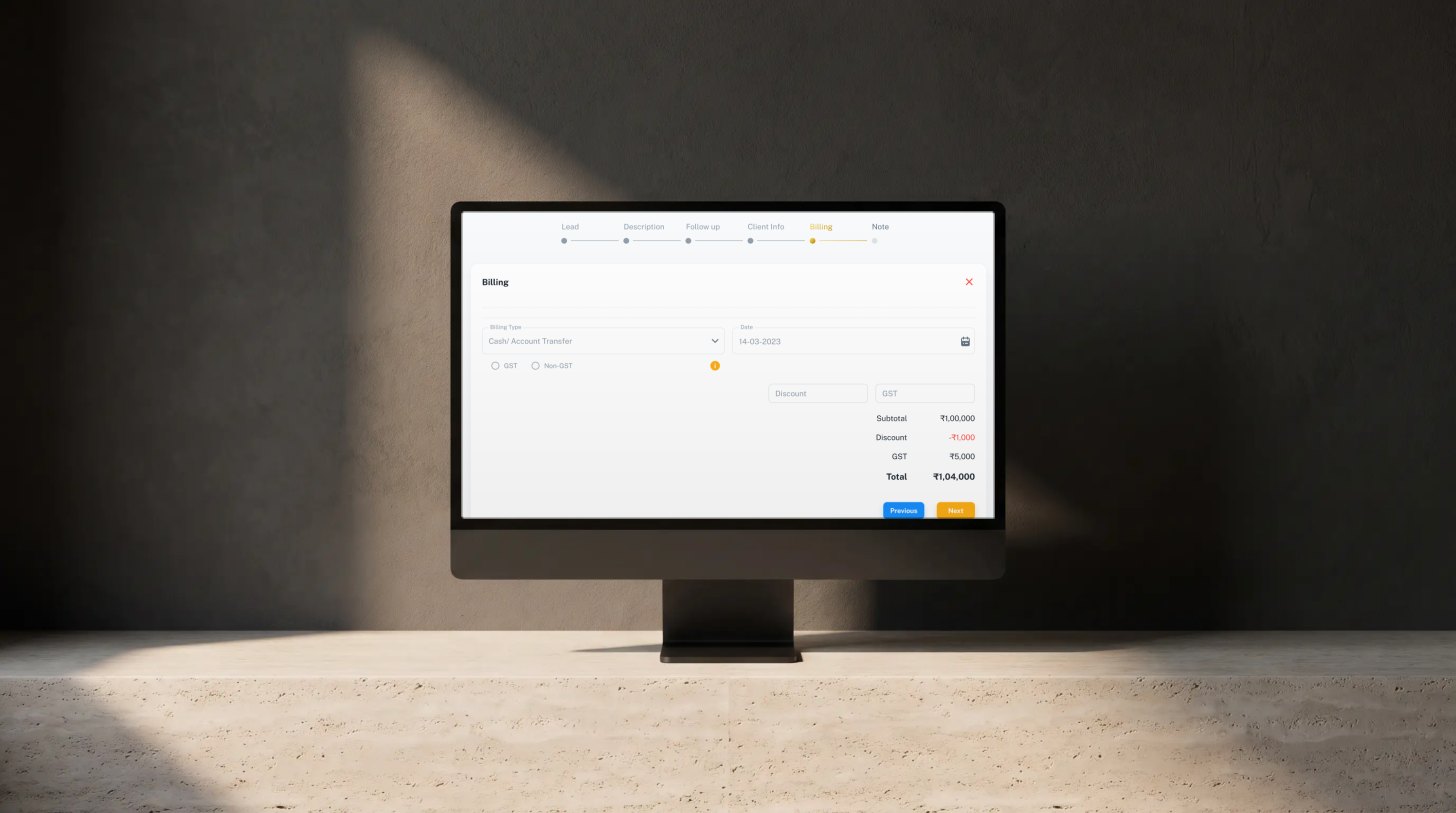
CRMFrom spreadsheets to one sales flow.
An IT services company ran its sales on Excel and Google Sheets. When the team grew, the sheets stopped working, so they built their own CRM, and we designed it.
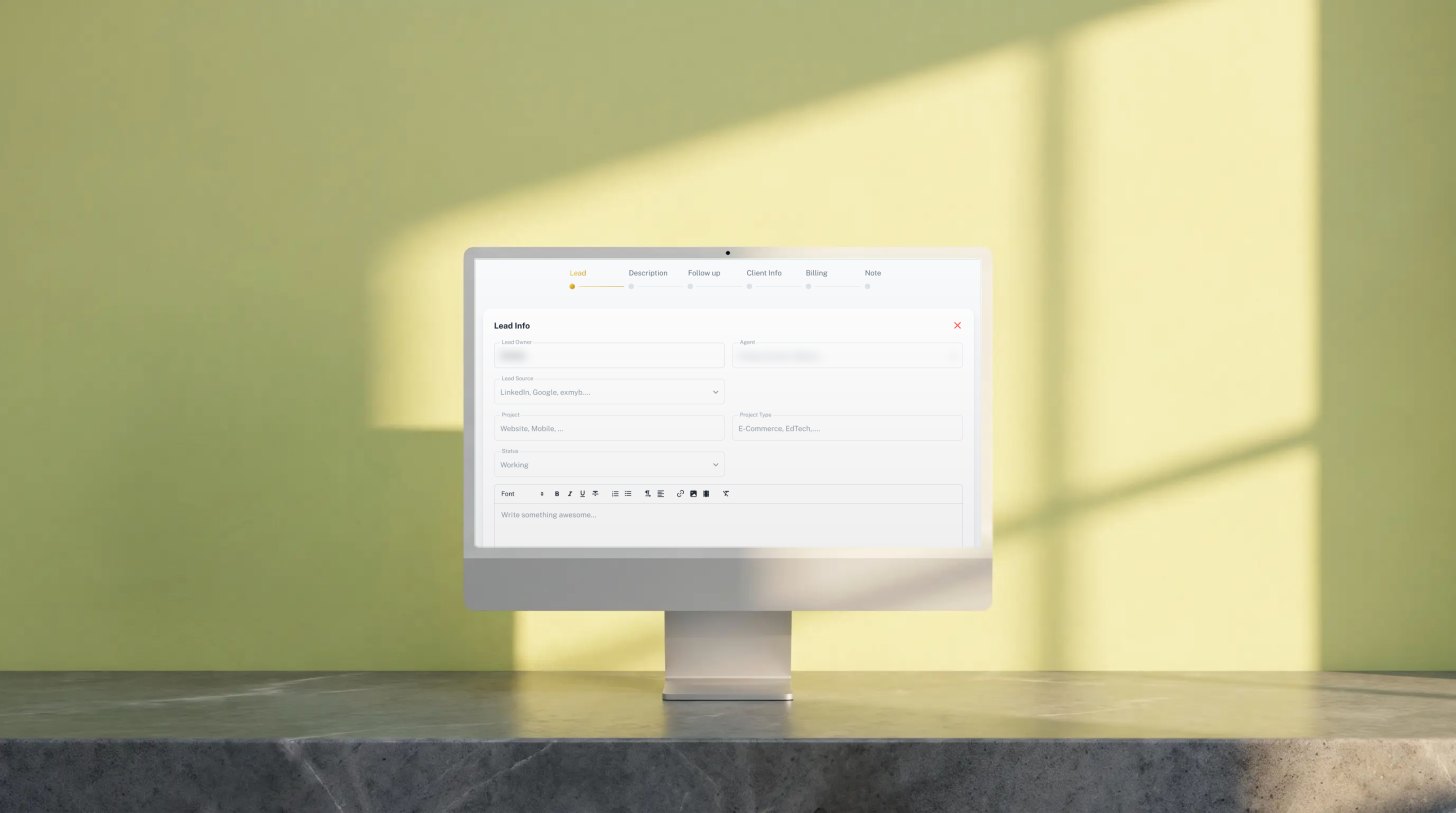
The team grew,the sheets didn't.
Leads, follow-ups and quotes lived in Excel and Google Sheets. That works for a few people. With a bigger team, nobody had the full picture of a lead.
Leads spread across sheets
Each person kept their own tab, so the same lead could sit in two places with different details, and no one knew who owned it.
Follow-ups depended on memory
A spreadsheet can't remind anyone. If a sales rep forgot the call, the lead quietly went cold.
Quotes and GST done by hand
Discounts and GST were worked out with formulas or a calculator, which is slow and easy to get wrong.
No clear outcome
There was no single place that said whether a lead was won, lost or on hold, or at what final price.
Design the waya lead moves.
Instead of one big form, we split a lead into the six steps a deal actually goes through. Every lead follows the same path, and every step asks only for what it needs.
Lead
Owner, agent, source, project and status.
Description
What the client needs, in their words.
Follow up
Date, time and notes for the next call.
Client info
Contact and company details.
Billing
Billing type, GST, discount and total.
Note
Converted, not converted or on hold.
Problem byproblem.
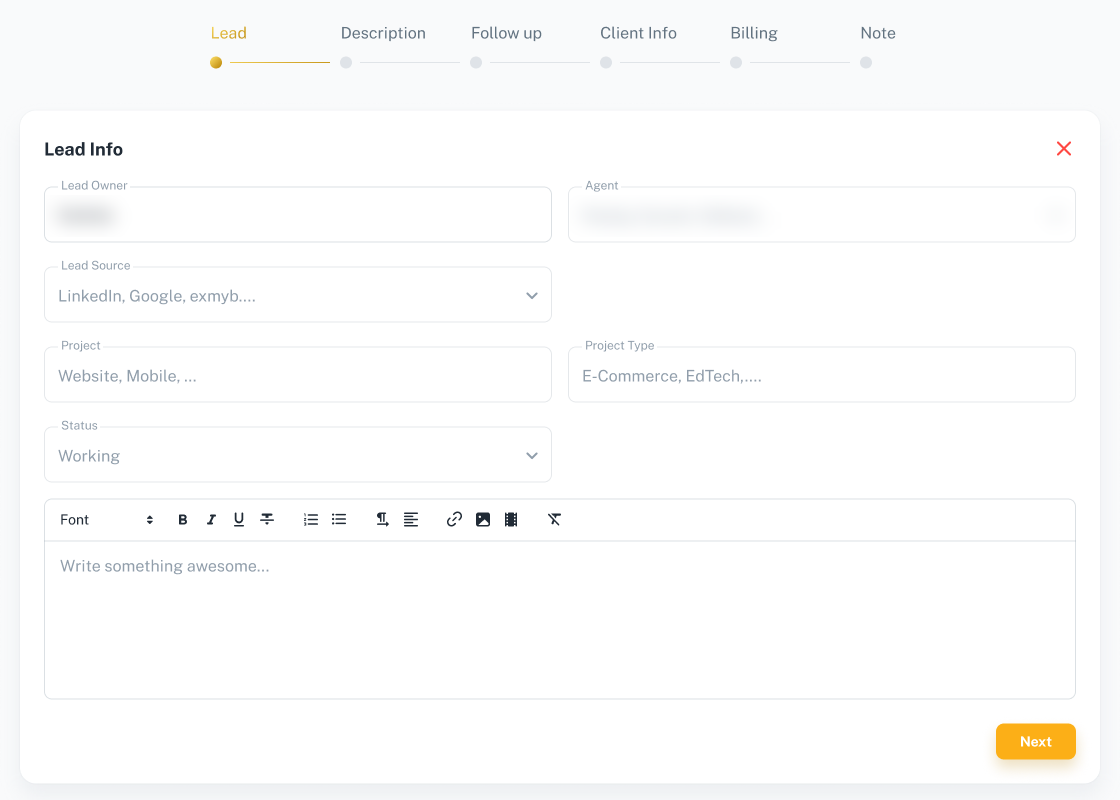
One lead, one owner.
Every lead starts with the same fields: a lead owner, the agents on it, where it came from, the project type and its status. The team stops guessing who is handling what.
- Lead owner and assigned agents
- Lead sources managed by admins
- A status on every lead
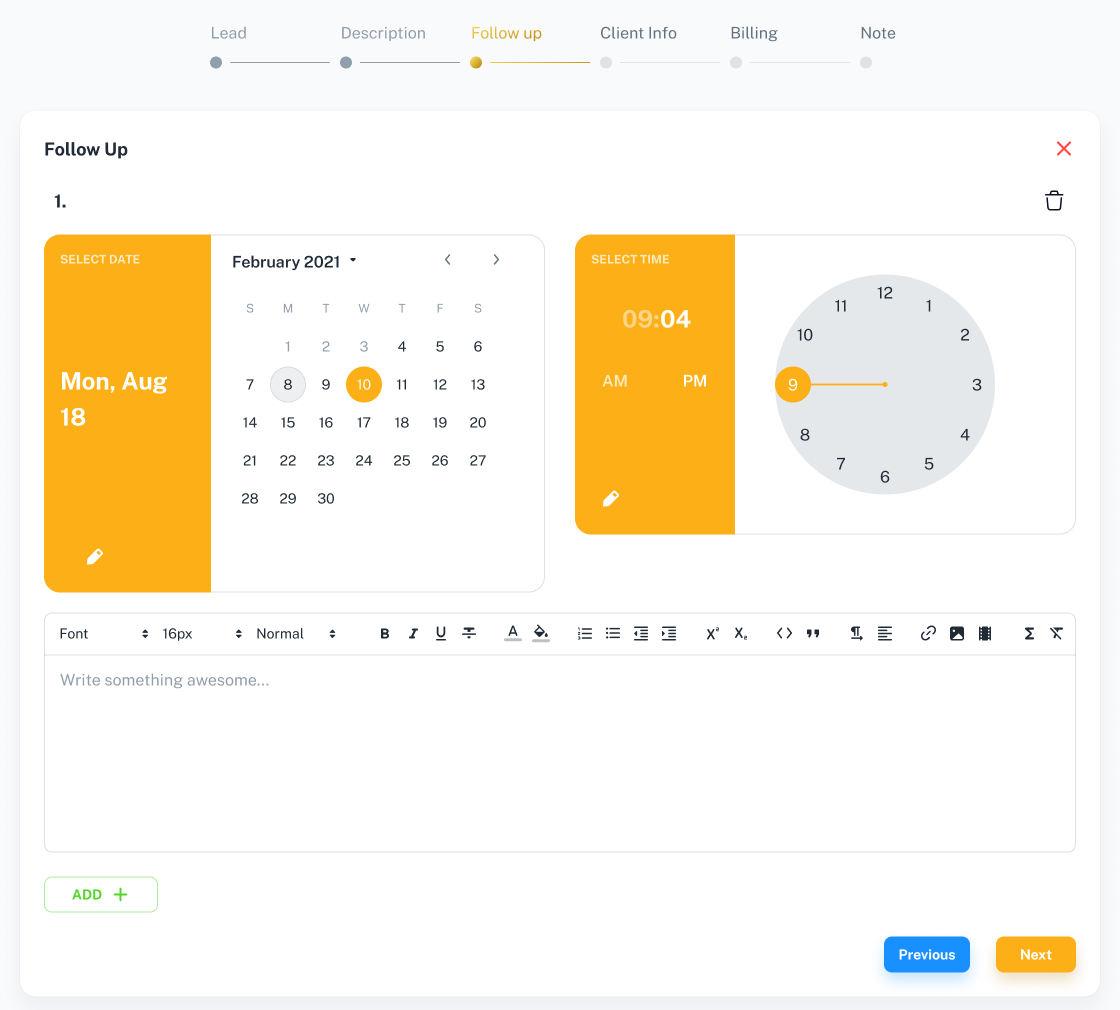
The next call, on the calendar.
Follow-ups get a real date and time, with notes from the last conversation. A lead can have several follow-ups, so the whole history stays with the lead instead of in someone's head.
- Date and time picker for each follow-up
- Notes with every follow-up
- Add as many follow-ups as a deal needs
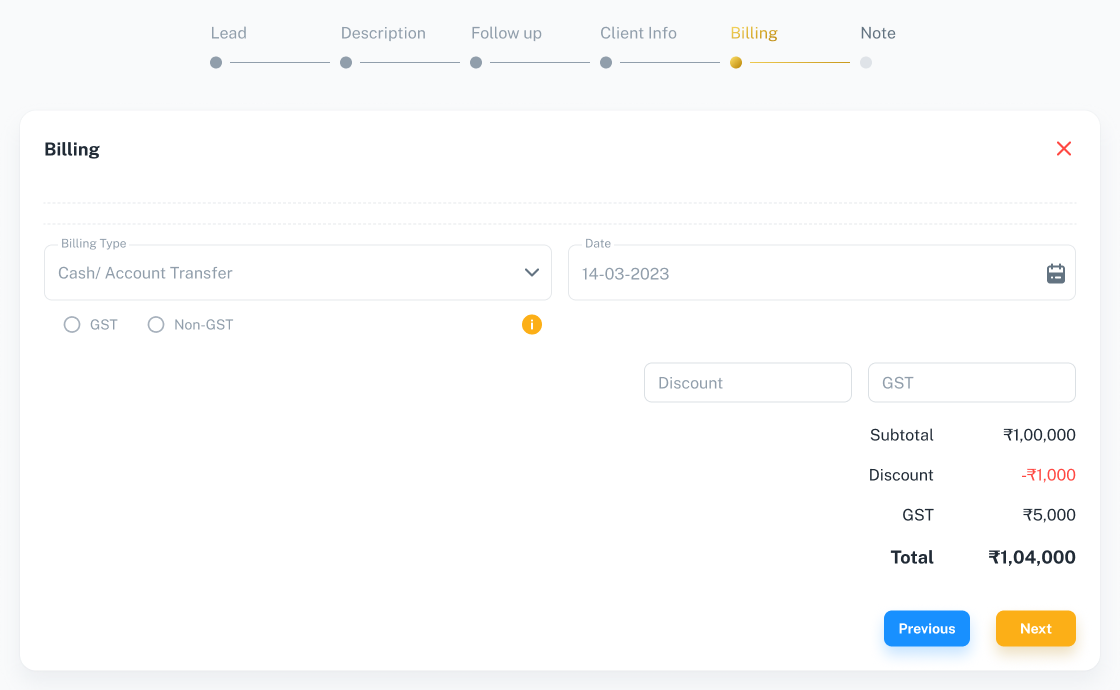
The maths, done for you.
Pick a billing type, choose GST or non-GST, add a discount, and the subtotal, tax and total update on their own. No formulas and no calculator.
- Cash or account transfer billing
- GST and non-GST options
- Automatic subtotal, discount and total
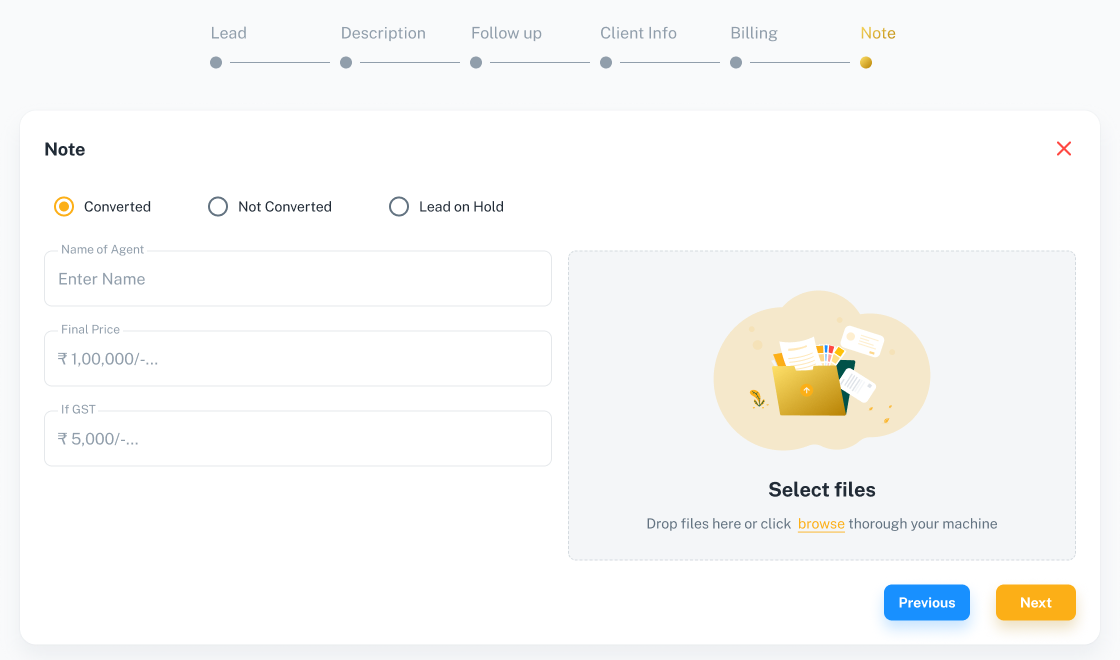
Every lead ends somewhere.
The last step closes the loop. Each lead is marked converted, not converted or on hold, with the closing agent, the final price, GST and any files, all in one record.
- Three clear outcomes for every lead
- Final price and GST on record
- Upload files like proposals and contracts
Six steps,one record.
The full lead flow, designed in Figma. Client name and real data are hidden.
Out of thespreadsheets.
The team got a CRM made for how they sell: every lead, follow-up and bill in one place, designed to replace the shared sheets.